











$ npm install -g uit-studio
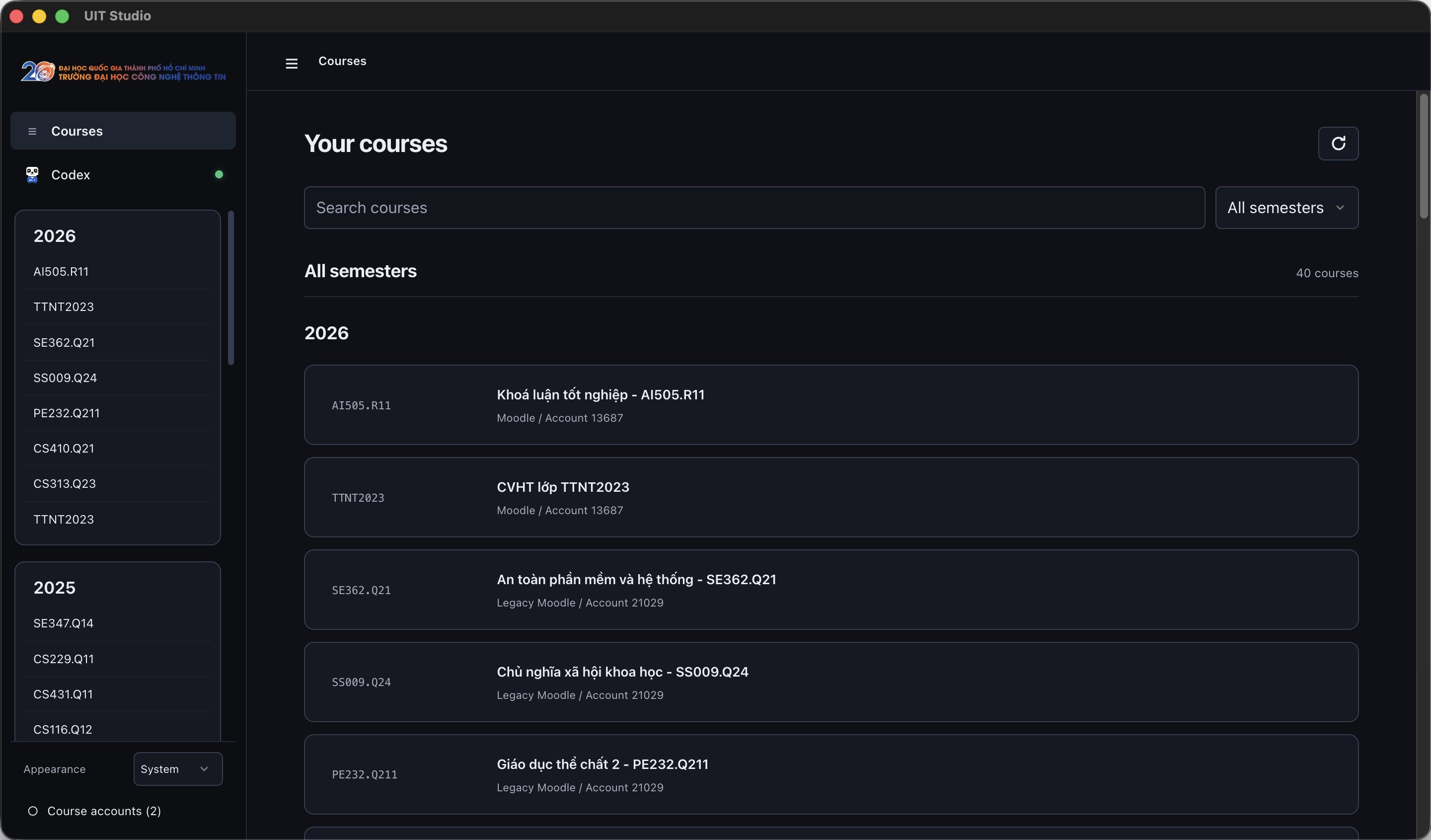
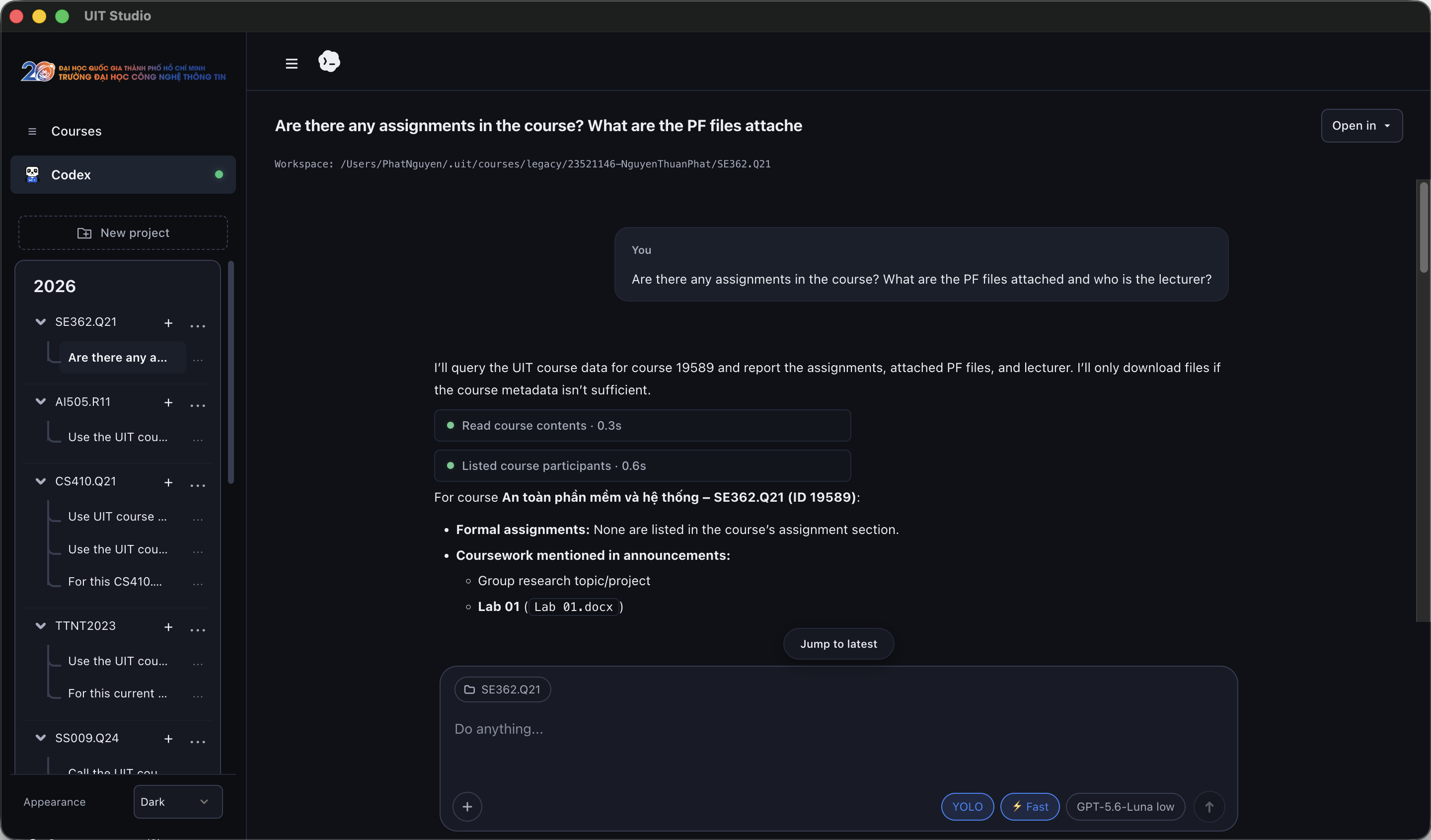
UIT Studio workspace showing course projects
UIT CLI

Coursework from the command line.

Find courses, track deadlines, and download materials from your terminal.

uit courses List enrolled courses and filter to the current semester.
uit contents <course_id> Browse sections, modules, forums, folders, and files.
uit deadlines See upcoming assignments, quizzes, and calendar events at a glance.
uit download <course_id> Pull course material locally for focused, offline study.
Read the CLI reference
uit — courses.uit.edu.vn — zsh
~ uit courses
IDSHORTCOURSE
19589SE362.Q21An toàn phần mềm và hệ thống
19227CS410.Q21Mạng neural và thuật giải di truyền
~ uit contents 19589
427868 [folder] Tài Liệu Môn Học
└─ SE362.Q21_.pdf
~ uit deadlines
DUECOURSEASSIGNMENTID
2026-09-20SE362.Q21 · An toàn phần mềmLab 03: Static Analysis84210
~ uit download 19589
GETSE362.Q21_.pdfOK
GETChapter 1.pdfOK
Saved 2 files → SE362.Q21/
Installation

Your workspace, on every platform.

Install globally via npm, or grab standalone pre-compiled installers for macOS, Linux, and Windows.

Apple Silicon

macOS

Install the native Studio app or use npm.

Native Studiocurl
curl -fsSL https://raw.githubusercontent.com/RyanNg1403/uit-cli/main/scripts/install.sh | sh -s -- --studio
Studio packagenpm
npm install -g uit-studio
AppImage & WSL2

Linux

Install the Studio AppImage or use npm.

Studio AppImagecurl
curl -fsSL https://raw.githubusercontent.com/RyanNg1403/uit-cli/main/scripts/install.sh | sh -s -- --studio
Studio packagenpm
npm install -g uit-studio
Win 10/11 & PowerShell

Windows

Install Studio with npm or download the setup app.

Studio packagenpm
npm install -g uit-studio
Download Setup (.exe)